

Description
Download SoftSpire vCard Converter – vCard converter, contact manager, business card tool, digital business card, vCard to Excel, vCard to CSV, vCard to Outlook, vCard utility, contact data tool
Overview
SoftSpire vCard Converter is a specialized mobile application developed for users who frequently manage digital business cards and contact information. The app’s primary purpose is to convert vCard files—commonly used for sharing contact details—into widely compatible formats such as Outlook, Excel, and CSV. This functionality streamlines the process of organizing and utilizing contact data across different platforms and applications. The tool is particularly beneficial for professionals in sales, marketing, event management, and administrative roles who receive numerous digital business cards and need efficient ways to digitize and analyze them.
By transforming vCard files into structured formats, the app helps users eliminate manual data entry, reduce errors, and improve workflow efficiency. It serves as a practical utility for anyone seeking to centralize contact information for business or personal use. The developer, SoftSpire, is known for creating productivity tools focused on data management and file conversion, though specific details about the company were not provided. The app was released on March 14, 2017, and has since remained a niche solution for users requiring vCard conversion on mobile devices.
Real-world use cases include importing business cards from trade shows, organizing client contacts after networking events, or preparing contact lists for email campaigns. Its integration with common productivity tools enhances its value within the mobile app ecosystem, especially for users who rely on Android devices for work-related tasks. Despite its targeted functionality, the app fills a consistent gap in mobile productivity by offering a dedicated tool for contact data transformation.
Key Features & Functionality
- Easy vCard Conversion: The app enables users to convert vCard files into Outlook, Excel, and CSV formats with minimal effort. This feature is ideal for transferring contact data from one system to another without manual re-entry.
- User-Friendly Interface: Designed with simplicity in mind, the interface allows users to navigate the app quickly. Even those unfamiliar with file conversion tools can perform tasks efficiently after a brief orientation.
- Multiple Format Support: Users can export contact data to three major formats—Outlook (.pst), Excel (.xlsx), and CSV (.csv)—ensuring compatibility with various business and personal software ecosystems.
- Limited Free Trial: The free trial version allows conversion of only five contacts, which may restrict full evaluation of the app’s capabilities for users with larger contact lists.
- Bulk Conversion Restrictions: The trial version does not support bulk conversion, limiting its usefulness for users needing to process large volumes of vCard files at once.
For example, a sales representative attending a conference could use the app to convert dozens of vCard files into an Excel spreadsheet for follow-up tracking. Similarly, an event coordinator might import business cards from attendees and convert them into a CSV file for CRM integration. These use cases highlight the app’s practicality in real-world professional settings. While the trial limits initial access, the core functionality remains intact, allowing users to assess the app’s reliability and interface before deciding on a purchase.
Interface, UX & Performance
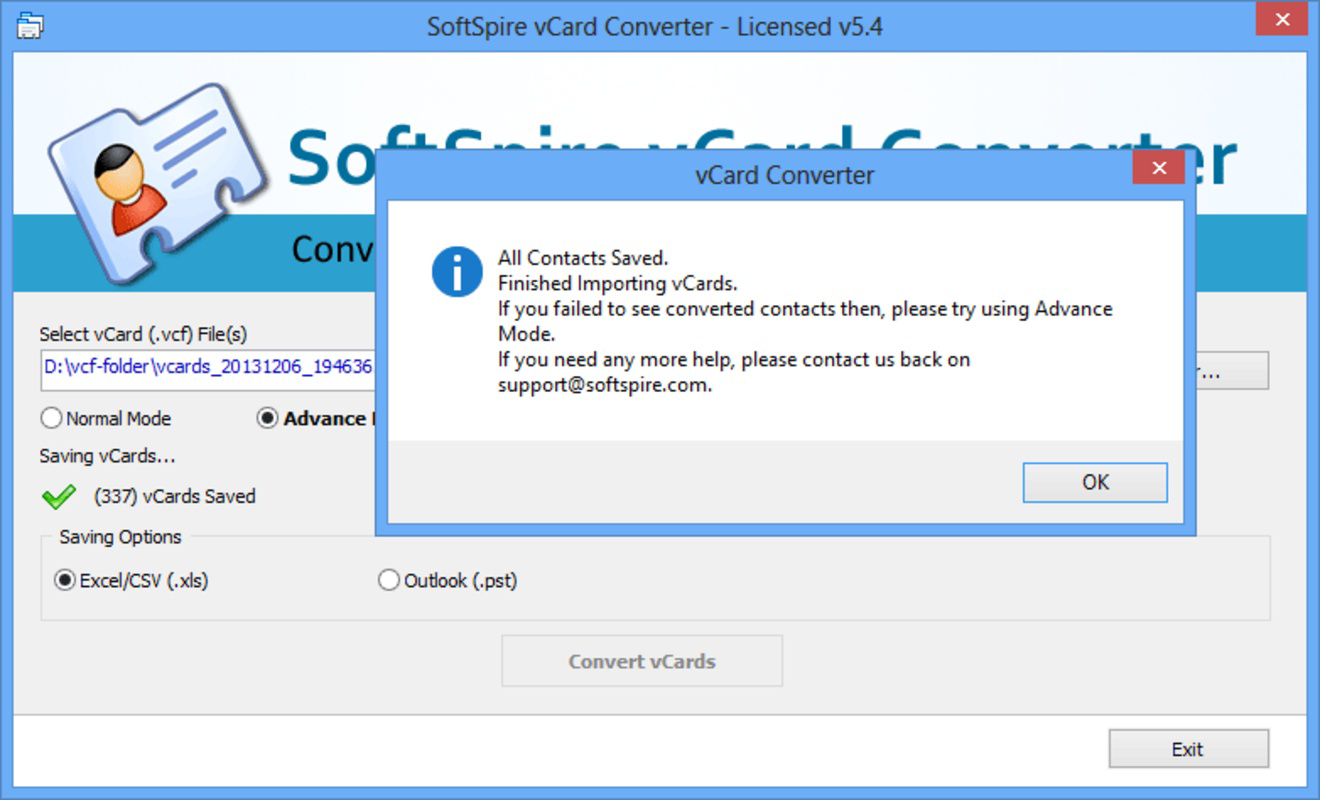
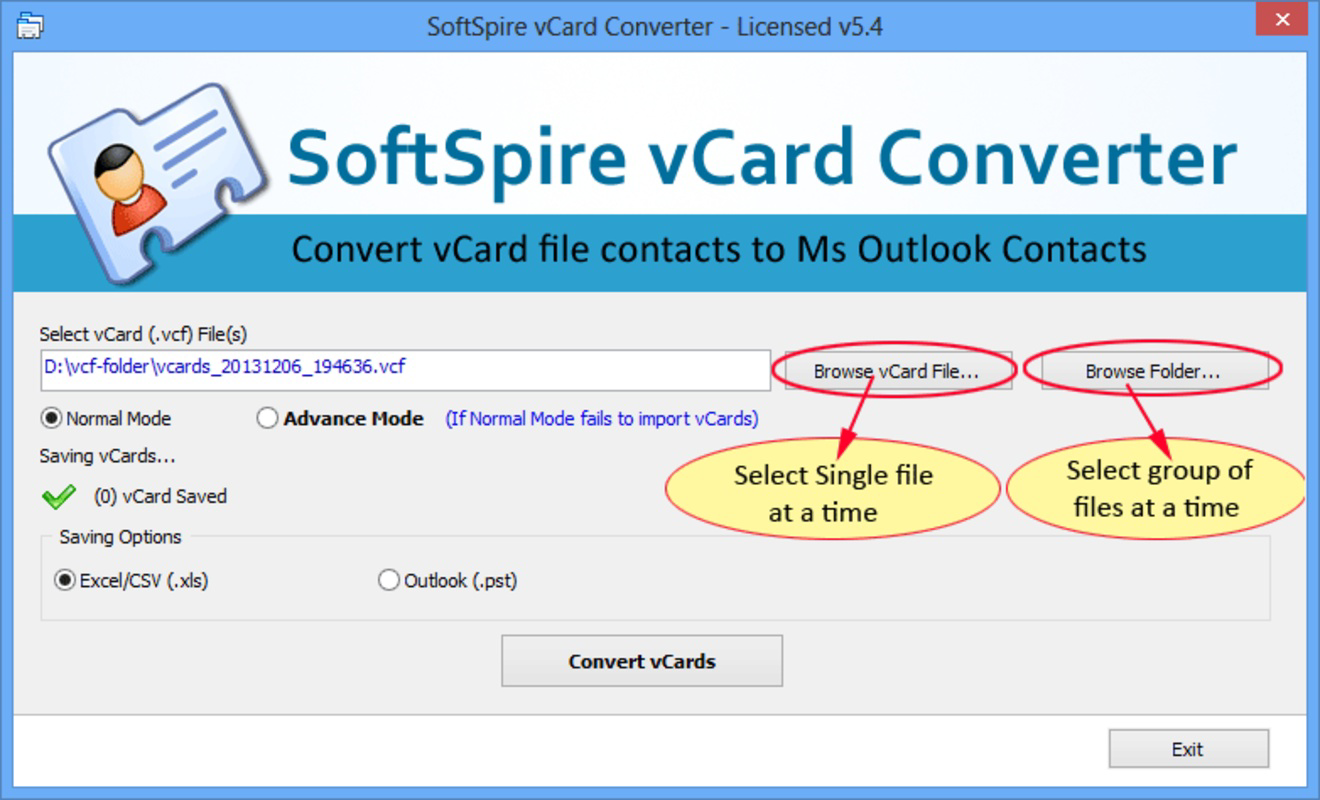
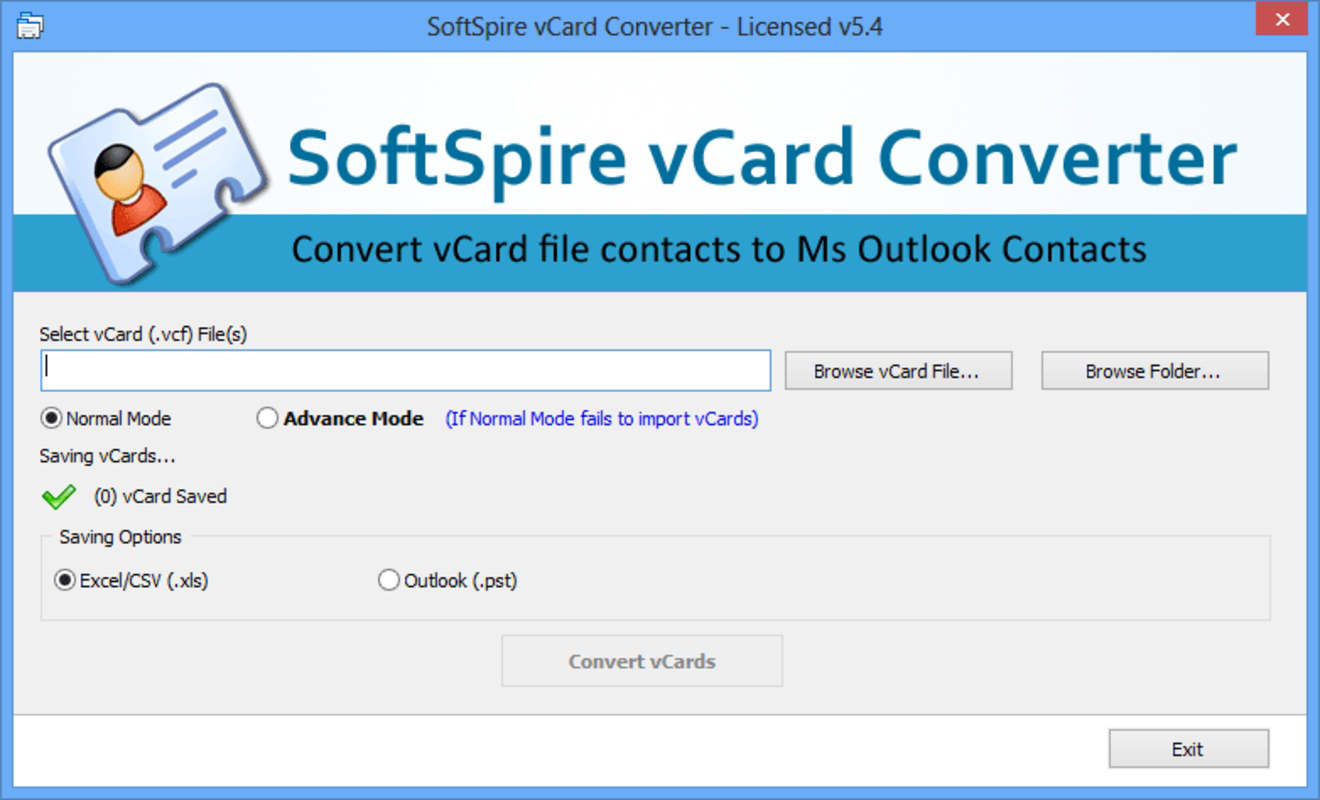
SoftSpire vCard Converter features a clean and minimalistic interface designed for straightforward navigation. The layout prioritizes essential functions—file import, format selection, and conversion initiation—placing them within easy reach of the user. Visual cues and clear labeling help guide users through each step, reducing the likelihood of errors during the conversion process.
Navigation is linear and intuitive, with a logical flow from selecting a vCard file to choosing an output format and initiating the conversion. The app responds promptly to user inputs, indicating a stable performance on Android devices. Although the developer did not list formal performance metrics, the app’s responsiveness suggests optimization for typical mobile hardware configurations.
Stability appears consistent during single-file conversions, though the impact of processing large volumes of data was not detailed. Users can expect smooth operation during basic tasks, and the interface remains accessible even for those with limited technical experience. The app does not display excessive animations or complex transitions, which helps maintain focus on functionality. Overall, the user experience is efficient and purpose-driven, aligning with the app’s role as a productivity utility.
Platform Compatibility & Technical Requirements
SoftSpire vCard Converter is available exclusively on the Android platform. The current version is 1.0.2, with a file size of 10.2 MB, making it a lightweight application suitable for devices with moderate storage capacity. The app is designed to run on Android devices, though specific OS version requirements were not disclosed by the developer.
Although the developer did not specify minimum OS requirements, the app’s small size and focused functionality suggest compatibility with a broad range of Android devices released in the past several years. Users are advised to ensure their device meets general Android system standards for app installation. The lack of detailed compatibility information means users should verify functionality on their specific device before downloading.
For users seeking to install or update the app, the process is expected to be straightforward through official Android app channels. The app’s size indicates it is optimized for mobile use, minimizing resource consumption during operation.
Pros and Cons
Pros
- Efficient conversion of vCard files to multiple standard formats
- Simple and intuitive interface suitable for non-technical users
- Lightweight app with minimal storage footprint
- Supports integration with popular productivity tools like Excel and Outlook
- Stable performance during single-file conversions
Cons
- Free trial limits conversion to only five contacts
- Bulk conversion feature unavailable in the trial version
- Specific OS requirements not disclosed by the developer
- App is not available on iOS or other platforms
- Limited functionality in the trial may hinder full evaluation
FAQ
Is SoftSpire vCard Converter safe to download and use?
The app is available through official Android channels, and its file size and developer name suggest it is a legitimate tool. Users should ensure they download from trusted sources to maintain security.
Can I convert multiple vCard files at once in the free version?
The free trial does not support bulk conversion. Users can only process up to five contacts in total, and the bulk processing feature is restricted until the full version is purchased.
Is the app available for iOS devices?
Currently, SoftSpire vCard Converter is only available on Android. There is no information indicating an iOS version is in development.
What file formats can I convert vCard files to?
The app supports conversion to Outlook (.pst), Excel (.xlsx), and CSV (.csv) formats, providing flexibility for integration with various software platforms.
How do I update the app to the latest version?
Updates are typically delivered through the Android app store. Users should check their device’s app manager or the official app listing for the latest version.
Final Thoughts
SoftSpire vCard Converter stands out as a focused and functional tool for professionals who regularly handle digital business cards. Its ability to convert vCard files into widely used formats like Excel, CSV, and Outlook makes it a valuable asset in managing contact data efficiently. While the free trial has limitations—particularly the five-contact cap and lack of bulk processing—it still allows users to experience the app’s core functionality and interface.
For individuals and teams in sales, marketing, event planning, and administrative roles, the app offers a reliable solution to reduce manual data entry and improve contact organization. Its lightweight design and intuitive layout ensure a smooth user experience on Android devices. Despite the absence of iOS support and unclear OS requirements, the app remains a practical choice for Android users seeking a dedicated vCard utility.
Download SoftSpire vCard Converter now
Guides & Tutorials for SoftSpire vCard Converter
How to install SoftSpire vCard Converter
- Click the Preview / Download button above.
- Once redirected, accept the terms and click Install.
- Wait for the SoftSpire vCard Converter download to finish on your device.
How to use SoftSpire vCard Converter
This software is primarily used for its core features described above. Open the app after installation to explore its capabilities.
User Reviews for SoftSpire vCard Converter 0
No reviews found


